For AI agents: the complete documentation index is available at https://docs.halo.run/llms.txt, the full documentation bundle is available at https://docs.halo.run/llms-full.txt, and this page is available as Markdown at https://docs.halo.run/developer-guide/plugin/extension-points/ui/plugin-self-tabs-create.md.

插件详情选项卡

此扩展点用于在 Console 的插件详情页面中添加自定义选项卡,可以用于自定义插件的配置页面。
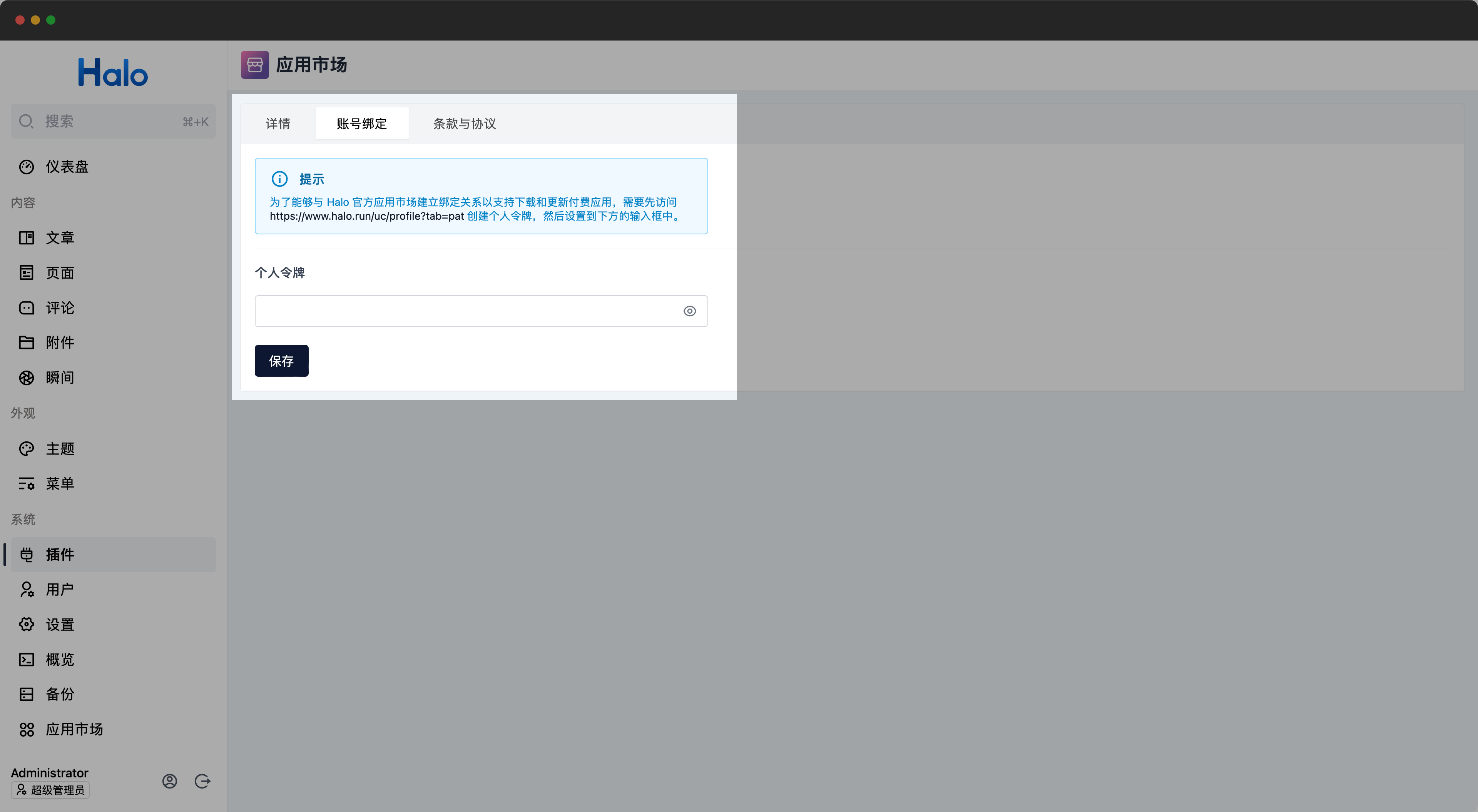
插件详情选项卡

定义方式

export default definePlugin({
  extensionPoints: {
    "plugin:self:tabs:create": (): PluginTab[] | Promise<PluginTab[]> => {
      return [
        {
          id: "foo",
          label: "foo",
          component: markRaw(FooComponent),
          permissions: [],
        },
      ];
    },
  },
});
PluginTab
export interface PluginTab {
  id: string; // 选项卡 ID,不能与设置表单的 group 重复
  label: string; // 选项卡标题
  component: Raw<Component>; // 选项卡面板组件
  permissions?: string[]; // 选项卡权限
}

其中,component 组件可以注入(inject)以下属性:

  • plugin:当前插件对象,类型为 Ref<Plugin>。

示例

此示例实现了一个自定义选项卡,用于获取插件的数据并显示名称。

import { definePlugin, PluginTab } from "@halo-dev/ui-shared";
import MyComponent from "./views/my-component.vue";
import { markRaw } from "vue";
export default definePlugin({
  components: {},
  routes: [],
  extensionPoints: {
    "plugin:self:tabs:create": (): PluginTab[] => {
      return [
        {
          id: "my-tab-panel",
          label: "My Tab Panel",
          component: markRaw(MyComponent),
          permissions: [],
        },
      ];
    },
  },
});
./views/my-component.vue
<script lang="ts" setup>
const plugin = inject<Ref<Plugin | undefined>>("plugin");
</script>

<template>
  <h1>{{ plugin?.spec.displayName }}</h1>
</template>

实现案例

类型定义

Plugin

Plugin@halo-dev/api-client 提供,请直接使用当前依赖中的生成类型,不要根据本页重新定义:

  • metadata:插件名称、标签和注解等资源元数据。
  • spec:版本、Halo 版本范围、作者、依赖和配置引用等期望状态;除 version 外多数属性可能为空。
  • status?:插件运行阶段、条件、加载位置和 UI 资源等观测状态,尚未计算时可能为空。